Inside the app
Simple for photographers. Effortless for guests.
Real screenshots of the Lens It app running offline on a laptop.
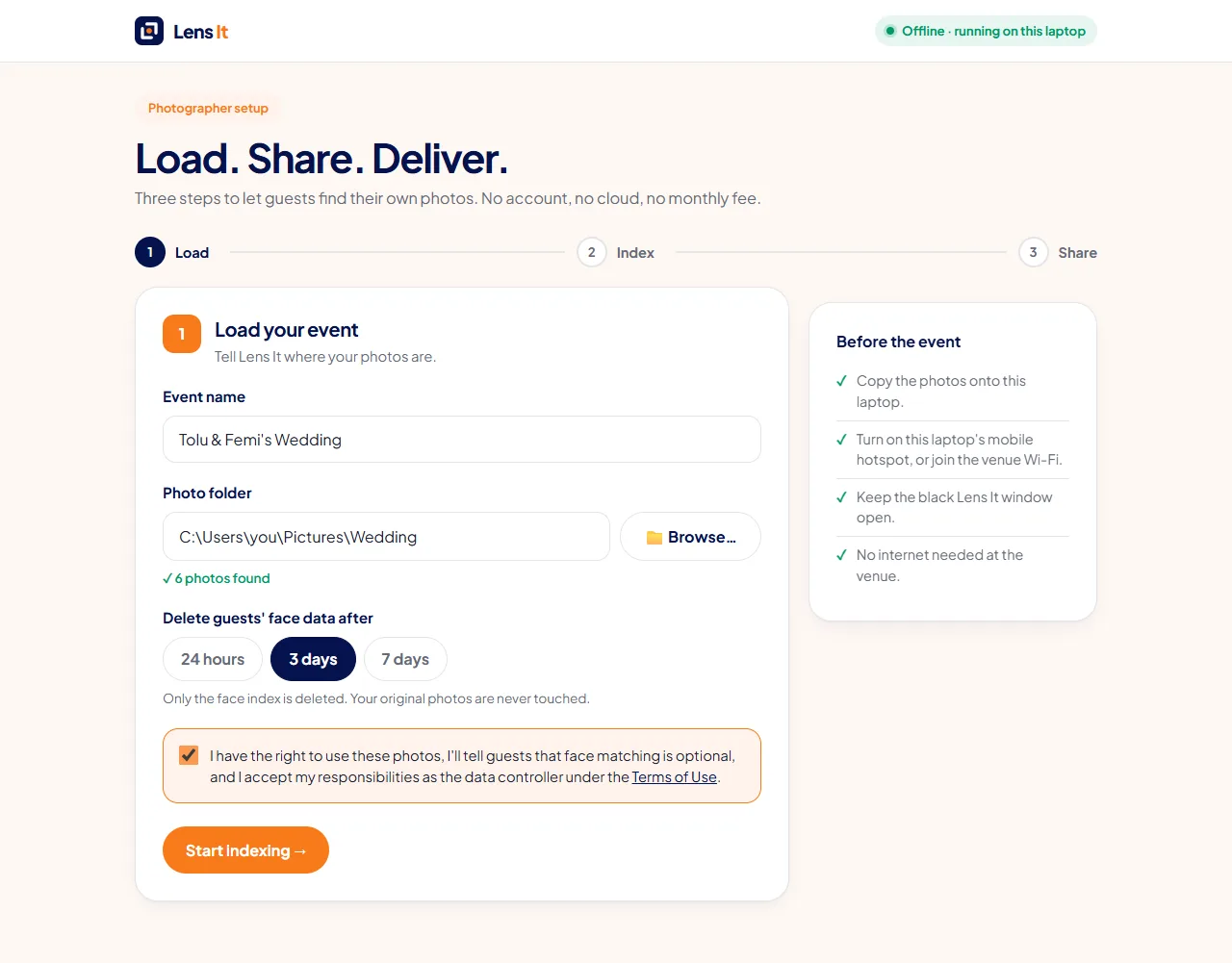
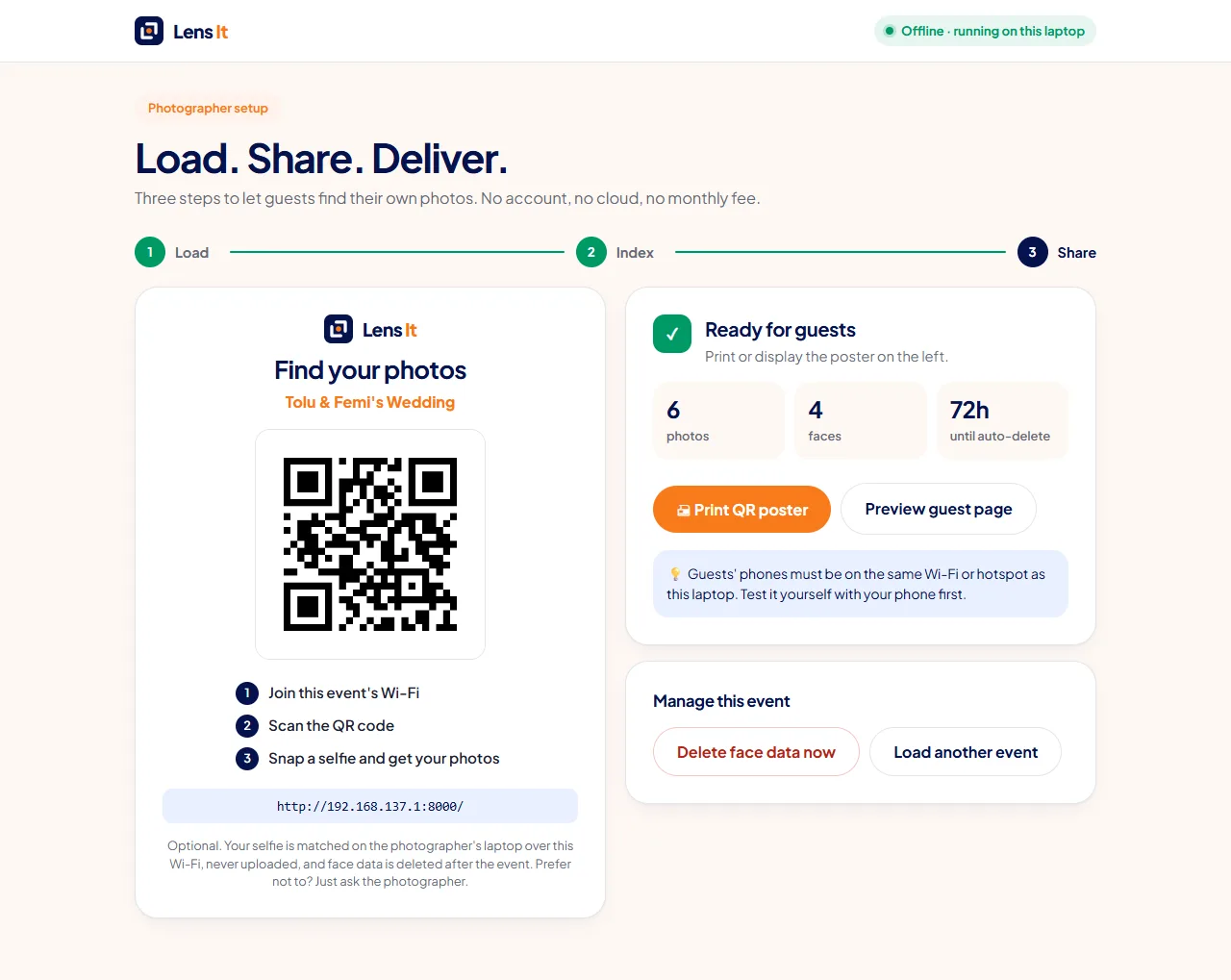
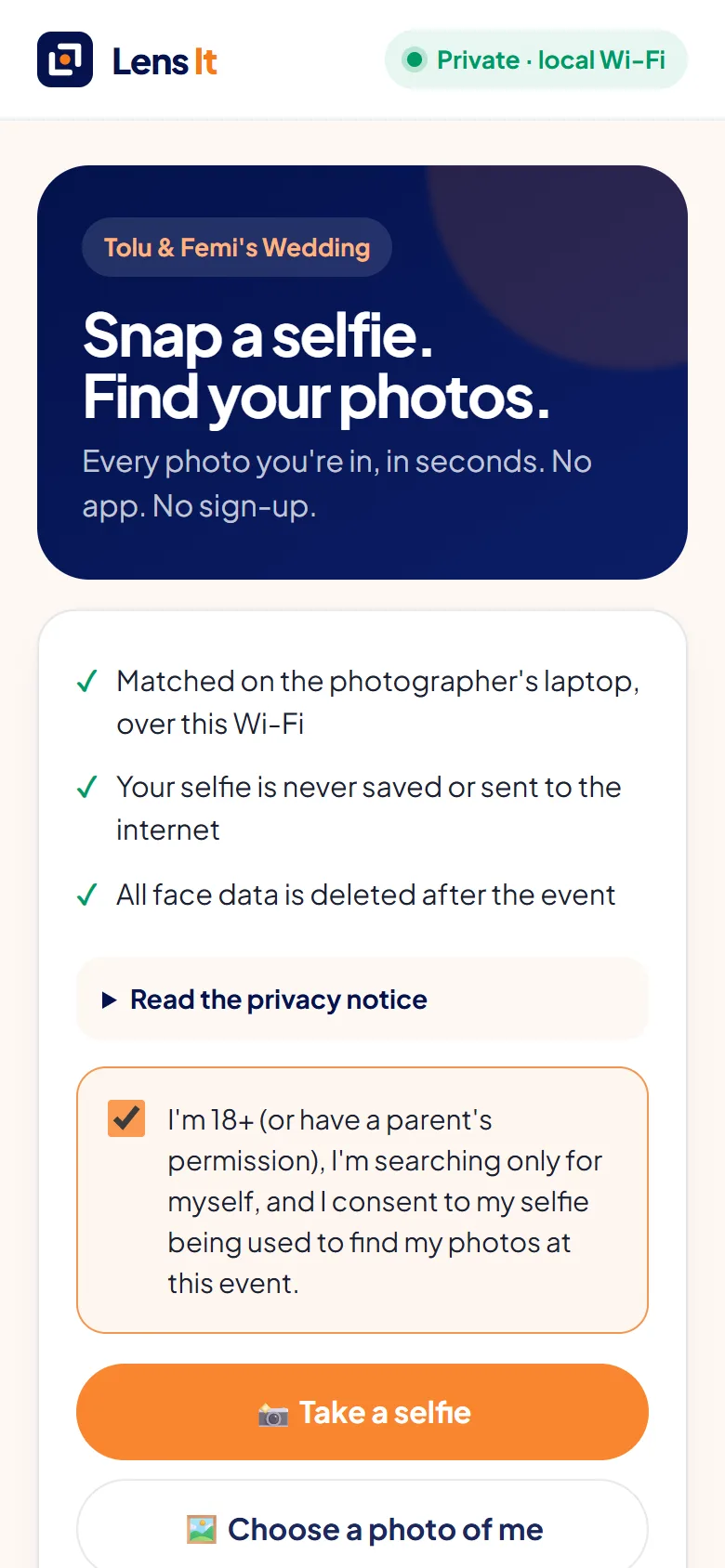
Guests scan a QR code, snap a selfie, and see every photo they're in. It all runs on your laptop, so it works at any venue, costs nothing per event, and no face ever touches the cloud.
At weddings, owambes, graduations and church events, guests never find the shots they're in. That's money and goodwill left on the table.
This is a simulation of what happens on the photographer's laptop when a guest sends a selfie.
Tap a guest to search 16 event photos.
Illustration only. Want the real thing? Try real face matching on your own photos → It runs in your browser and nothing is uploaded.
Pick your event folder in the setup screen. Lens It finds every face, right on your laptop.
Turn on your hotspot and place the poster at the entrance, reception or photo booth.
One-line consent, one selfie. No app download, no account, no data plan needed.
Watermarked previews in seconds, then a one-tap ZIP of the full-resolution shots.
Hundreds of guests, aso-ebi everywhere. Everyone wants their picture.
Graduates and families find their moment without endless scrolling.
Weddings, dedications and conventions, even with no signal.
Runners find their finish-line shot before they cool down.
Conferences and launches where attendees' data must stay private.
Smaller shoots, same magic. Works with any folder of photos.
Move the sliders to estimate what one event could earn when guests can actually find their photos.
An illustrative estimate, not a guarantee. Payment is handled your way (e.g. bank transfer) for now.
Most selfie-search services upload guests' faces to a cloud server. Lens It matches on the photographer's laptop over the venue's own Wi-Fi.
| Lens It | Cloud selfie-search apps | |
|---|---|---|
| Needs internet at the venue | No | Yes |
| Where guests' faces go | Your laptop only | A company's servers |
| Cost per event | ₦0 | Subscription or per-photo fees |
| Guest sign-up | None | Often required |
| Can you change how it works? | Yes, it's open source | No |
Lens It runs open-weight face models with OpenCV on an ordinary CPU. No GPU, no API key, no vendor lock-in.
Finds every face in every photo, fast enough for a 5-year-old laptop.
Apache-2.0Turns each face into a 128-number fingerprint that can be compared, not a stored photo.
Apache-2.0 weightsServes the guest page and setup screens over your local network.
MITReal screenshots of the Lens It app running offline on a laptop.
One file, no setup, no internet needed. The AI models are built in, so Lens It works offline from the very first run.
Windows may say Windows protected your PC because the app isn't code-signed yet. Click More info → Run anyway.
Your browser opens the setup screen. Pick your photo folder and print the QR code. Keep the black window open during the event.
No. They scan the QR code, agree to a short consent note and take a selfie in their phone's browser.
Yes. Your laptop creates or joins a local Wi-Fi network and serves everything itself. Guests connect to that network, not the internet.
The selfie is processed in memory to find matches, then discarded. It's never saved to disk or uploaded anywhere. The face index of your event photos is deleted automatically when the event expires.
An ordinary Windows 10/11 laptop (Mac and Linux can run it from source). It's been built and tested on an 8 GB Intel i5 with no GPU.
It works best with clear, front-facing selfies and reasonably lit photos. We're testing on real events now and will publish the results, including misses.
For now, guests see watermarked previews and you share full photos after payment by transfer. Built-in payments are on the roadmap.
Use our short feedback form. It takes about a minute (you need a free GitHub account), and your feedback is public, so please don't include photos or anyone's personal details. The app itself works offline, so feedback is always sent from here, never automatically.
Yes. Lens It is open source. There's no subscription and no per-event fee.
Free, offline and private. Set up in minutes.